
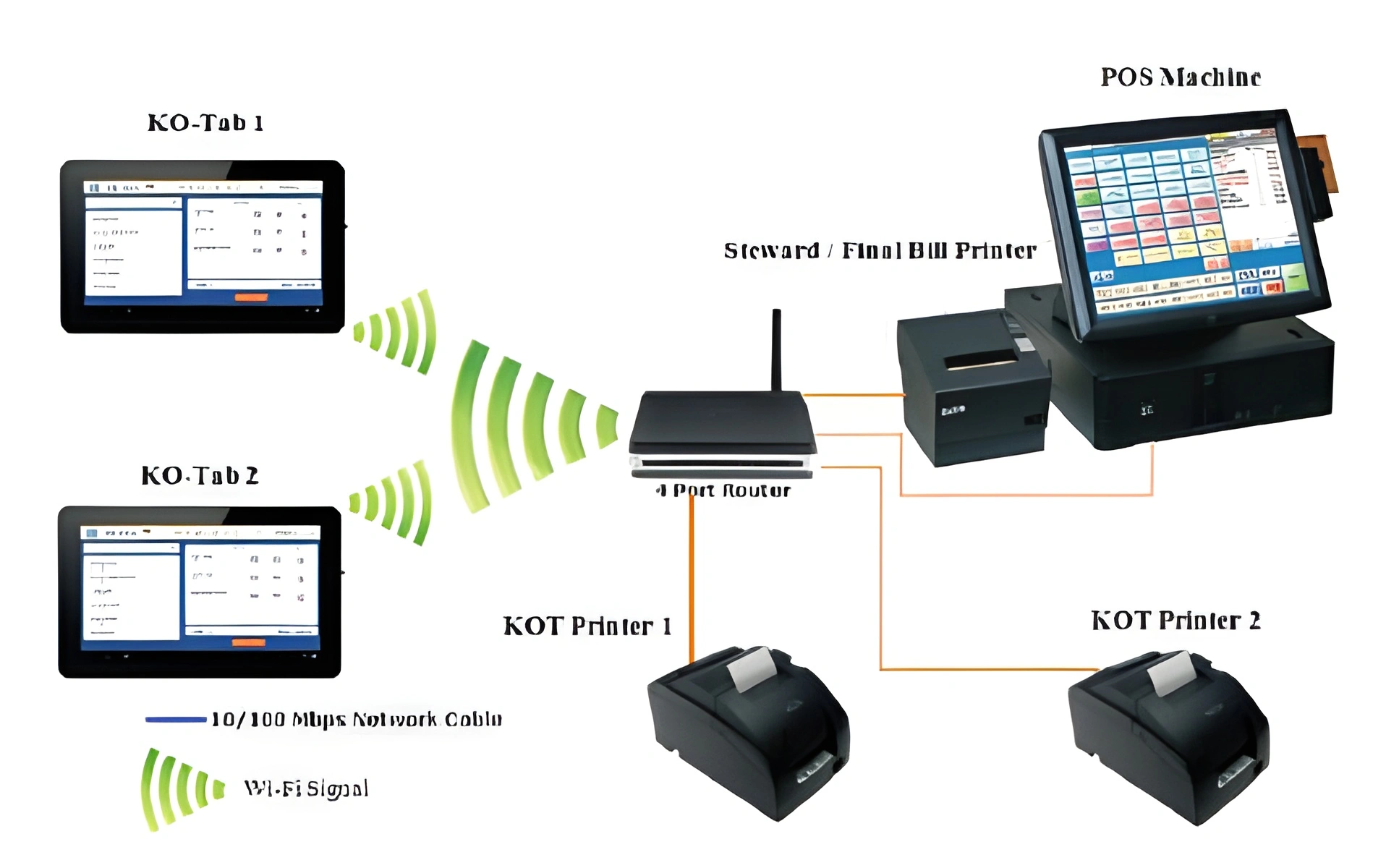
What a KOT system does
KOT usually means kitchen order ticket. In a restaurant workflow, it helps send or organize order details for preparation while the cashier or waiter keeps the customer order connected to the final bill.
The main value is clarity. During busy service, staff need to know what was ordered, what changed, and what should be prepared without depending only on memory or handwritten notes.
- Order details for kitchen preparation
- Clearer communication between staff roles
- Connection between order and final billing
When restaurants need KOT
KOT is useful when food preparation happens away from the cashier or when multiple staff members handle the same order. Restaurants, cafes, hotels, pizza shops and takeaway counters can all benefit from KOT-style workflows.
Very small businesses with simple counter sales may not need a full KOT workflow at first, but should still plan how orders and bills are connected.
- Dine-in restaurants with kitchen preparation
- Takeaway counters with order queues
- Hotels, cafes and food service businesses
KOT should be part of the POS setup
KOT should not be treated as a separate isolated feature. It should connect with menu categories, cashier billing, order notes, reports and user roles. This makes daily operation easier to review and manage.
System Navigator POS can be configured for restaurant workflows including menu categories, cashier billing, KOT-style order handling and daily reports.
- Menu categories must be organized clearly
- Order notes should be easy for kitchen staff
- Cashier settlement should stay connected to orders
Choosing a package for KOT workflows
A simple restaurant may start with Basic if the workflow is mostly cashier billing. If the owner needs mobile cloud access, Standard is the better fit. If the restaurant has more than one counter or a broader service process, Premium should be considered.
Read both the restaurant POS guide and the pricing page before selecting a package.
- Basic for smaller restaurant billing workflows
- Standard for mobile access to the cloud system
- Premium for larger or multi-counter restaurant operations